

Download Instagram Photos
In today's digital age, Instagram has become a hub for sharing life's moments through photographs, covering a wide range of interests. Sometimes you want to save a photo on your device. This is where Insta.app comes in, making it easy to download and save any photo you like from Instagram. Whether you're using a PC, Mac, Android, or iPhone, downloading your favorite Instagram photos is just a click away.
Download Instagram Photos in Full Resolution
Whether it is a single post or a high-resolution profile picture, our Instagram photo downloader is the best tool to download images from IG. Save any public photo to your gallery in full quality — fast, free and anonymous, with no watermark.
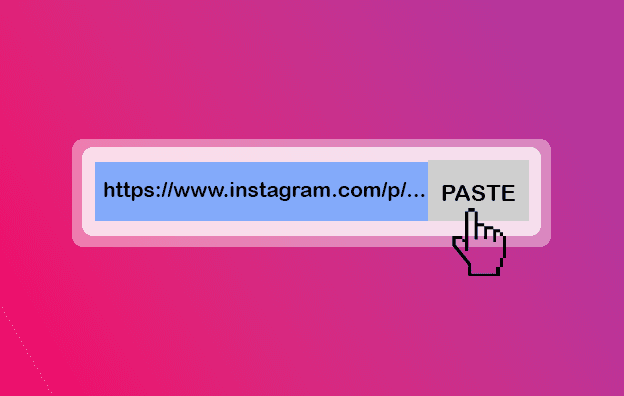
Copy the link to the photo or post, paste it into the box above and download the image in one click. It works on Android, iPhone, Windows and Mac without any app or sign-up.
How to download an Instagram photo in 3 steps
- 1
Copy the photo link
Open the Instagram post, tap the (•••) menu and choose “Copy link”.
- 2
Paste the link
Paste the link into the input field at the top of this page.
- 3
Save the image
Press Download to save the photo to your device in full resolution.
Why use our Instagram photo downloader
Full resolution
Images are saved in the highest quality Instagram stores for that post.
Single or multiple
Download one photo or every image from a multi-photo post.
No watermark
Photos are saved as clean JPG files with no added branding.
Free & anonymous
No login, no app and no limit on how many images you save.
Instagram Photo Downloader — FAQ
Can I download Instagram photos in full quality?
Yes. Photos are saved in the original resolution that Instagram stores for the post.
Can I download a profile picture?
Yes. Paste the profile link and you can save the account's profile photo in high quality.
What format are photos saved in?
Photos are downloaded as standard JPG image files that open on any device.
Do I need to install anything?
No. The photo downloader runs in your browser with nothing to install.
Can I download photos from private accounts?
No. Only photos from public Instagram accounts can be downloaded.
More Instagram download tools
Instagram Video Downloader
Instagram is full of videos worth keeping — tutorials, recipes, travel clips and IGTV uploads.
Instagram Reels Downloader
Reels are the most shared format on Instagram, and our Instagram reels downloader lets you keep the ones you love in crisp HD MP4 — without the watermark.
Instagram Story Saver
Instagram stories disappear after 24 hours, but our Instagram story downloader lets you keep them for good.
Instagram Carousel Downloader
Carousel posts — also called albums or galleries — bundle several photos and videos into one swipeable post.
How it works
Only three easy and quickest steps to download an Instagram Story


Instagram Downloader Features
Instagram is a social media platform that allows users to post stories and share them with their followers. You can also create stories and highlights similar to Snapchat stories. Our website allows you to download Instagram story with one click!
Post Downloader
If you want to save images from Instagram, iSaver is a great tool to help you do it. Whether it's a single photo from a post or multiple images from a carousel, iSaver makes downloading quick and easy.


Story Downloader
Want to keep your favorite Instagram stories even after they disappear? Our Instagram Story Downloader lets you save, view, and reuse stories easily — no app needed, just a few clicks!
Video Downloader
iSaver is built to let you download Instagram videos for any purpose you need. Whether it's a single video or multiple clips from a carousel, iSaver makes it easy.

Reels Downloader
Reels is a newer video format on Instagram, similar to TikTok. With iSaver's Instagram Reels downloader, you can easily download your favorite Reels and watch them anytime you like.
Carousel Downloader
Instagram Carousel posts—also known as Albums or Galleries—let users share multiple photos, videos, or a mix of both in a single post. If you're looking to download several images from one of these galleries, iSaver is a great tool for the job. It offers a simple and reliable way to save Instagram gallery content quickly and easily

Profile Downloader
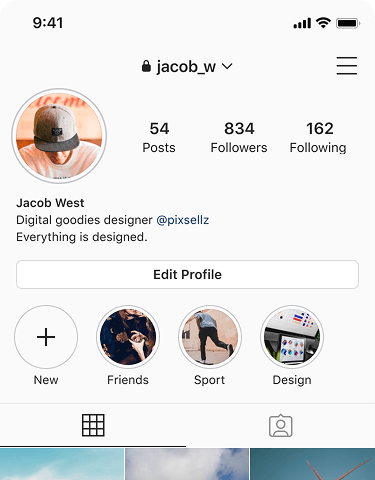
The Profile Viewer function on our website allows you to check who might be interacting with or viewing your Instagram profile. While Instagram doesn’t officially provide this feature, our tool offers insights based on available engagement data to give you a better understanding of your audience. Try it now by entering your Instagram link

iSaver does not host any videos on its servers. All videos that you download are hosted on Instagram's CDNs. iSaver is a Social Media Services website and is not associated by any means to Meta or the Meta brand and doesn't have anything to do with Meta Platforms, Inc.
© 2020-2025 reelstorysaver.app. All rights reserved.